Form completion for healthcare practices
Documents automatically filled, in your EHR.
FillBetter fills patient forms using information from the chart. Our staff review them, then return them to your EHR for your team to review and sign.
Tell us about your practice. We’ll help you map out the next steps.
Less time filling forms. More time for patients.
See automatic completion and the editor in action.
The forms on your desk
We handle the paperwork your team handles every day.
From FMLA certifications to workers’ compensation forms, FillBetter completes fillable PDFs and scanned documents using the available patient information.
FMLA
Medical certifications and leave paperwork.
Disability and leave
Patient and employer forms that draw on the chart.
Workers’ compensation
Forms that need clinical and case information.
Custom forms
Practice-specific PDFs, scanned forms, and unfamiliar layouts.
How it works
From your EHR. Back to your EHR.
Keep the handoffs your team knows. FillBetter takes care of form completion between intake and signature.
01 / Your practice
Send the form
Route the document to FillBetter through the intake process set up with your practice.
02 / FillBetter
We fill and review it
FillBetter prepares answers using available patient and chart information. Our staff review the completed form before returning it.
03 / Your team
Review and sign in your EHR
The document returns to the agreed destination in your EHR for your team to review, make any corrections, and sign.
Intake, chart access, and document return are tailored to your EHR and its available interfaces. We confirm the workflow with your practice before getting started.
Explore EHR integration →For your MAs, PAs, and providers
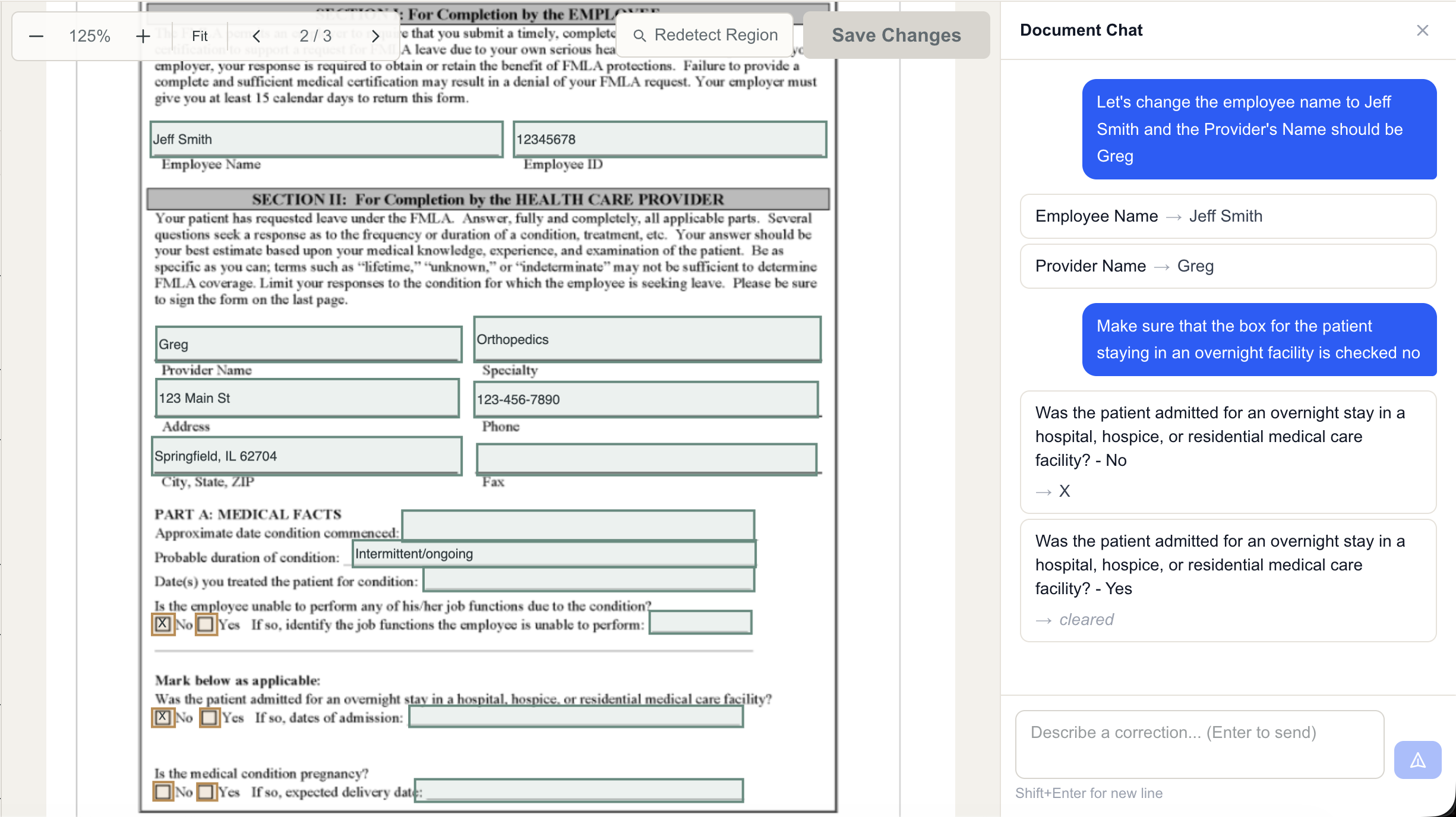
Correct documents quickly in our editor.
Need to change a date, update an answer, or check a box? Edit the form directly or describe the correction in Document Chat. Your team can review changes before submitting them.
Reviewed before return
Automation backed by our staff.
Automatic processing is followed by a staff review before the document returns to the patient’s chart. Your team keeps control of final corrections and signature.
Access through your practice
Authorized staff can open documents for review and editing. We confirm access and routing as part of your EHR integration.
Built around your existing process
We work with you to connect form intake, patient information, and the destination for completed documents.
Talk to us about your practice.
Tell us about the forms your team needs filled. We’ll walk through your EHR workflow, show you FillBetter, and discuss pricing and next steps.